3.5 Creating a Video Asset (Part-2)
Summary
This tutorial is the second part in the creation of a Video Asset where we introduce a very important page for videos and audios alike- the transcripts page. We break it down into the left and right half and explain in great detail.
Transcripts Page
This is the transcripts page. There's a lot going on. Let's break it down into the left half and right half.
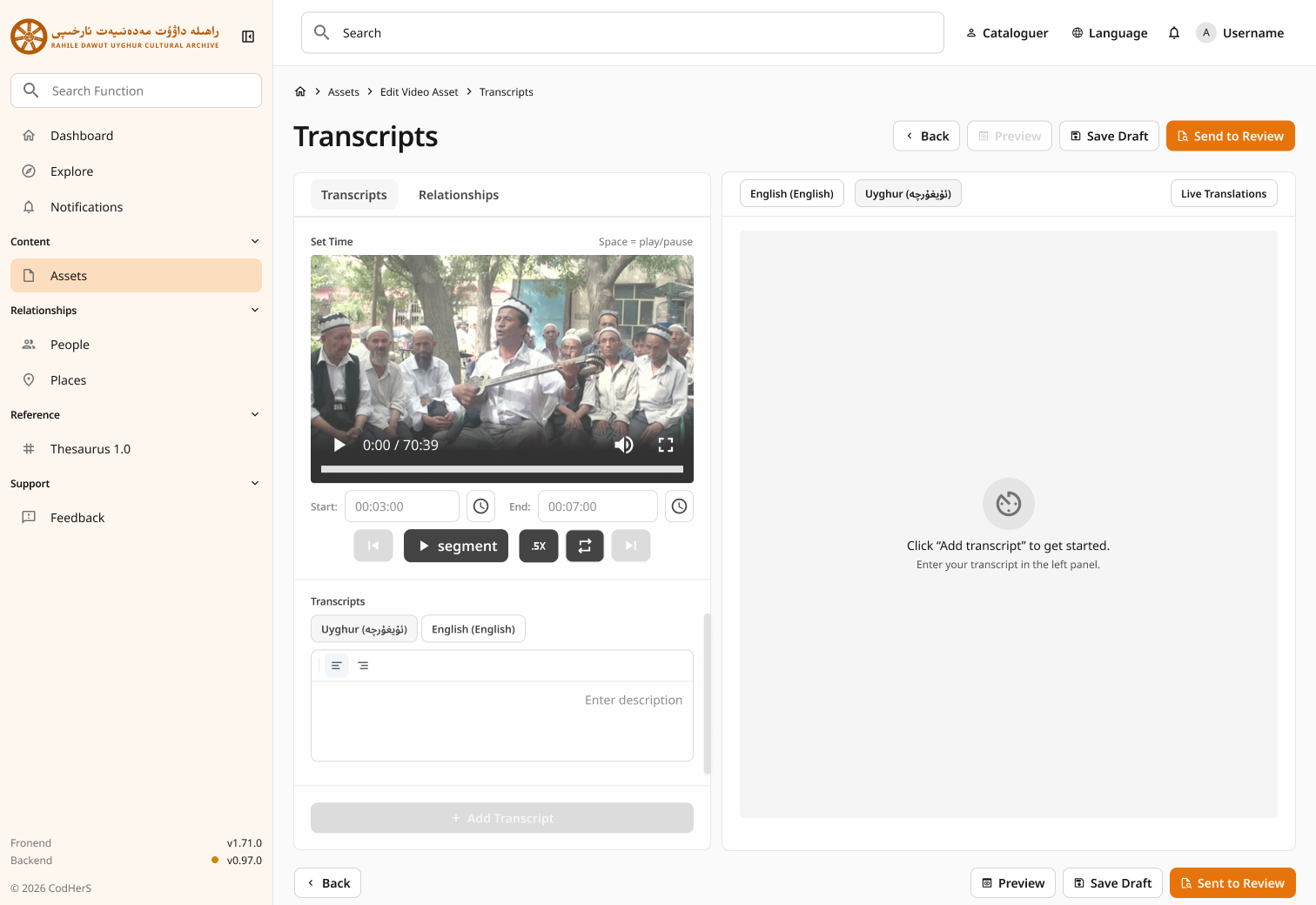
The Left Half
The left half contains two main tabs:
- Transcripts: this is the text data. Transcripts can be in, once again, English or Uyghur.
- Relationships: these are the links to other objects like assets, people, places, or thesaurus items.
The most noticable element perhaps is the Video Player. This is where you can view the video while creating the transcripts/relationships for it.